This blog has been written as a homework assignment for the Middle East Technical University 2025–2026 CENG 795 Special Topics: Advanced Ray Tracing course by Şükrü Çiriş. It aims to present my raytracer repository, which contains the code developed for the assignment.
Homework 3
Newly Added Features For Homework 3
- Arealight
- Multisampling
- Depth of Field
- Motionblur
- Rough Reflections and Refractions
- Replaced the Grid Structure with BVH
Arealight
To implement soft shadows, I added a new AreaLight class that uses inheritance from my base Light class. This allowed me to override the get_sample function so that instead of returning a single position like the PointLight, the AreaLight picks random points on a square surface. I also overrode the sample count function so that AreaLight asks for multiple samples (like 16) while PointLight keeps returning just one. Finally, in my calculate_color function, I loop through all these samples and take the average of the light values; this simple logic creates soft shadows for the area light while keeping the point light sharp, all without changing the main rendering loop. I also made AreaLight double sided by making cos_theta_light always positive.
class Light
{
protected:
	Light() {};

public:
	virtual ~Light() = default;

	virtual int get_sample_count() const = 0;

	virtual void get_sample(simd_vec3 &calculator,
							const vec3 &hit_point,
							float rand_u, float rand_v,
							vec3 &sample_pos,
							vec3 &incident_radiance,
							vec3 &light_dir,
							float &dist) const = 0;
};

class PointLight : public Light
{
public:
	vec3 position;
	vec3 intensity;

	PointLight(vec3 pos, vec3 inten) : position(pos), intensity(inten) {}

	int get_sample_count() const override { return 1; }

	void get_sample(simd_vec3 &calculator,
					const vec3 &hit_point,
					float rand_u, float rand_v,
					vec3 &sample_pos,
					vec3 &incident_radiance,
					vec3 &light_dir,
					float &dist) const override
	{
		vec3 dir_unnormalized;
		calculator.subs(position, hit_point, dir_unnormalized);

		float d2;
		calculator.dot(dir_unnormalized, dir_unnormalized, d2);
		dist = std::sqrt(d2);

		if (d2 < 1e-6f)
		{
			light_dir = dir_unnormalized;
			incident_radiance.load(0, 0, 0);
			return;
		}

		calculator.mult_scalar(dir_unnormalized, 1.0f / dist, light_dir);

		light_dir.store();

		calculator.mult_scalar(intensity, 1.0f / d2, incident_radiance);

		incident_radiance.store();
	}
};

class AreaLight : public Light
{
public:
	vec3 position;
	vec3 normal;
	vec3 radiance;
	float size;
	vec3 u_vec;
	vec3 v_vec;

	int samples;

	AreaLight(simd_vec3 &calculator, vec3 pos, vec3 norm, float sz, vec3 rad, int sample_count = 16)
		: position(pos), normal(norm), size(sz), radiance(rad), samples(sample_count)
	{
		vec3 helper;
		if (std::abs(normal.get_x()) > 0.1f)
		{
			helper.load(0.0f, 1.0f, 0.0f);
		}
		else
		{
			helper.load(1.0f, 0.0f, 0.0f);
		}

		calculator.cross(helper, normal, u_vec);
		calculator.normalize(u_vec, u_vec);

		calculator.cross(normal, u_vec, v_vec);
		calculator.normalize(v_vec, v_vec);
	}

	int get_sample_count() const override { return samples; }

	void get_sample(simd_vec3 &calculator,
					const vec3 &hit_point,
					float rand_u, float rand_v,
					vec3 &sample_pos,
					vec3 &incident_radiance,
					vec3 &light_dir,
					float &dist) const override
	{
		float u_offset_val = (rand_u - 0.5f) * size;
		float v_offset_val = (rand_v - 0.5f) * size;

		vec3 u_offset, v_offset;
		calculator.mult_scalar(u_vec, u_offset_val, u_offset);
		calculator.mult_scalar(v_vec, v_offset_val, v_offset);

		calculator.add(position, u_offset, sample_pos);
		calculator.add(sample_pos, v_offset, sample_pos);

		vec3 dir_unnormalized;
		calculator.subs(sample_pos, hit_point, dir_unnormalized);

		float d2;
		calculator.dot(dir_unnormalized, dir_unnormalized, d2);
		dist = std::sqrt(d2);

		calculator.mult_scalar(dir_unnormalized, 1.0f / dist, light_dir);

		vec3 neg_light_dir;
		calculator.mult_scalar(light_dir, -1.0f, neg_light_dir);

		float cos_theta_light;
		calculator.dot(normal, neg_light_dir, cos_theta_light);

		if (cos_theta_light <= 0.0f)
		{
			cos_theta_light = -cos_theta_light;
		}

		float area = size * size;
		float factor = (area * cos_theta_light) / d2;

		calculator.mult_scalar(radiance, factor, incident_radiance);

		light_dir.store();
		incident_radiance.store();
	}
};
Multisampling, Depth of Field and Motionblur
I updated the camera class to support multisampling, depth of field, and motion blur. I created the get_samples function to return a vector of rays instead of a single one, allowing me to average multiple rays per pixel. For multisampling, I loop through a grid and add random jitter to the ray positions to smooth out jagged edges. For depth of field, I simulate a physical lens by calculating a focal point and randomly shifting the ray's origin, which blurs objects that aren't in focus. Finally, I added a time variable to the sample struct and assign it a random value for each ray; this lets the renderer capture moving objects at different moments to create motion blur.
class camera
{
public:
	vec3 position;
	int resx, resy;
	int num_samples;
	float focus_distance;
	float aperture_size;
	vec3 u, v, w;
	float near_left, near_right, near_bottom, near_top;
	float neardistance;
	std::string output;
	struct sample
	{
		vec3 direction;
		vec3 position;
		float time;
	};
	vec3 center;
	camera(simd_vec3 &calculator, simd_mat4 &calculator_m, float position_x, float position_y, float position_z,
		   float gaze_x, float gaze_y, float gaze_z,
		   float up_x, float up_y, float up_z, float neardistance,
		   float nearp_left, float nearp_right, float nearp_bottom, float nearp_top,
		   int resx, int resy, int num_samples,
		   float focus_distance, float aperture_size, std::string output, mat4 cameraModel);
	camera(simd_vec3 &calculator, simd_mat4 &calculator_m,
		   float position_x, float position_y, float position_z,
		   float gaze_x, float gaze_y, float gaze_z,
		   float up_x, float up_y, float up_z,
		   float neardistance, float fovY,
		   int resx, int resy, int num_samples,
		   float focus_distance, float aperture_size, std::string output, mat4 cameraModel);
	std::vector get_samples(simd_vec3 &calculator, int i, int j);
};
Rough Reflections and Refractions
To handle glossy surfaces, I added a roughness parameter to both my calculate_reflected_dir and calculate_refracted_dir functions. I created a new helper function called add_roughness that takes the perfect reflection or refraction vector and modifies it. Inside this function, I calculate two perpendicular vectors ($u$ and $v$) to build a local coordinate system around the ray. I then add random amounts of these $u$ and $v$ vectors to the original direction, effectively "jittering" the ray based on how high the roughness value is. After normalizing the result, the ray points in a slightly different direction, which creates realistic blurry reflections and refractions instead of perfect mirror-like ones.
void add_roughness(simd_vec3 &calculator, vec3 &R, float roughness)
{
	R.store();

	vec3 r_prime = R;
	float abs_x = std::abs(R.get_x());
	float abs_y = std::abs(R.get_y());
	float abs_z = std::abs(R.get_z());

	if (abs_x <= abs_y && abs_x <= abs_z)
	{
		r_prime.load(1.0f, R.get_y(), R.get_z());
	}
	else if (abs_y <= abs_z)
	{
		r_prime.load(R.get_x(), 1.0f, R.get_z());
	}
	else
	{
		r_prime.load(R.get_x(), R.get_y(), 1.0f);
	}

	vec3 u, v;
	calculator.cross(R, r_prime, u);
	calculator.normalize(u, u);

	calculator.cross(R, u, v);
	float xi1 = get_random_float() - 0.5f;
	float xi2 = get_random_float() - 0.5f;

	vec3 u_comp, v_comp;
	calculator.mult_scalar(u, xi1, u_comp);
	calculator.mult_scalar(v, xi2, v_comp);

	vec3 offset;
	calculator.add(u_comp, v_comp, offset);
	calculator.mult_scalar(offset, roughness, offset);

	calculator.add(R, offset, R);
}

void ray_tracer::calculate_reflected_dir(simd_vec3 &calculator, const vec3 &N, const vec3 &I, vec3 &R, float roughness)
{
	float dot;
	calculator.dot(I, N, dot);

	calculator.mult_scalar(N, dot * -2.0f, R);
	calculator.add(I, R, R);
	if (roughness > 0.0f)
	{
		add_roughness(calculator, R, roughness);
	}
	calculator.normalize(R, R);
}

bool ray_tracer::calculate_refracted_dir(simd_vec3 &calculator, const vec3 &N, const vec3 &I,
										 float n1, float n2, vec3 &T, float roughness)
{
	float cosi;
	calculator.dot(I, N, cosi);
	cosi = -cosi;
	float eta = n1 / n2;

	const vec3 &normal = N;
	float k = 1.0f - eta * eta * (1.0f - cosi * cosi);
	if (k < 0.0f)
	{
		return false;
	}
	vec3 term1, term2;
	calculator.mult_scalar(I, eta, term1);
	calculator.mult_scalar(normal, (eta * cosi - sqrtf(k)), term2);
	calculator.add(term1, term2, T);

	if (roughness > 0.0f)
	{
		add_roughness(calculator, T, roughness);
	}

	calculator.normalize(T, T);

	return true;
}
Replaced the Grid Structure with BVH
I replaced my old Grid structure with a new BVH class to speed up the renderer. In the constructor, I take the list of shapes and organize them into a tree of BVHNode structs, which I store in a flat vector called nodes for better memory performance. I also separated infinite planes into a plane_shapes vector to check them independently. For the actual ray casting, I use the main intersect function. This function uses a helper called intersect_aabb_fast to quickly check the bounding boxes first; this allows the renderer to skip empty space and only check the actual geometry in ordered_primitives when the ray actually hits a box.
class bvh
{
private:
	struct BVHNode
	{
		aabb bounds;
		union
		{
			int primitivesOffset;
			int secondChildOffset;
		};
		uint16_t nPrimitives;
		uint8_t axis;
		uint8_t pad;
	};
	struct BVHPrimitive
	{
		shape *s;
		int id;
	};
	std::vector plane_shapes;
	std::vector nodes;
	std::vector ordered_primitives;

	static float get_axis_value(const vec3 &v, int axis);

	inline bool intersect_aabb_fast(const aabb &box, const vec3 &ray_origin, const vec3 &inv_dir,
									const int dir_is_neg[3], float t_max_curr) const;

public:
	bvh() = delete;

	bvh(const std::vector *shape_list);

	~bvh();

	bool intersect(simd_vec3 &calculator, simd_mat4 &calculator_m, const vec3 &rayOrigin, const vec3 &rayDir, float raytime,
				   float &t_hit, shape **hit_shape, int &hit_id, bool culling = true, const float EPSILON = 1e-6f,
				   bool any_hit = false, float stop_t = 1e30f) const;
};
Resulting Images and Videos
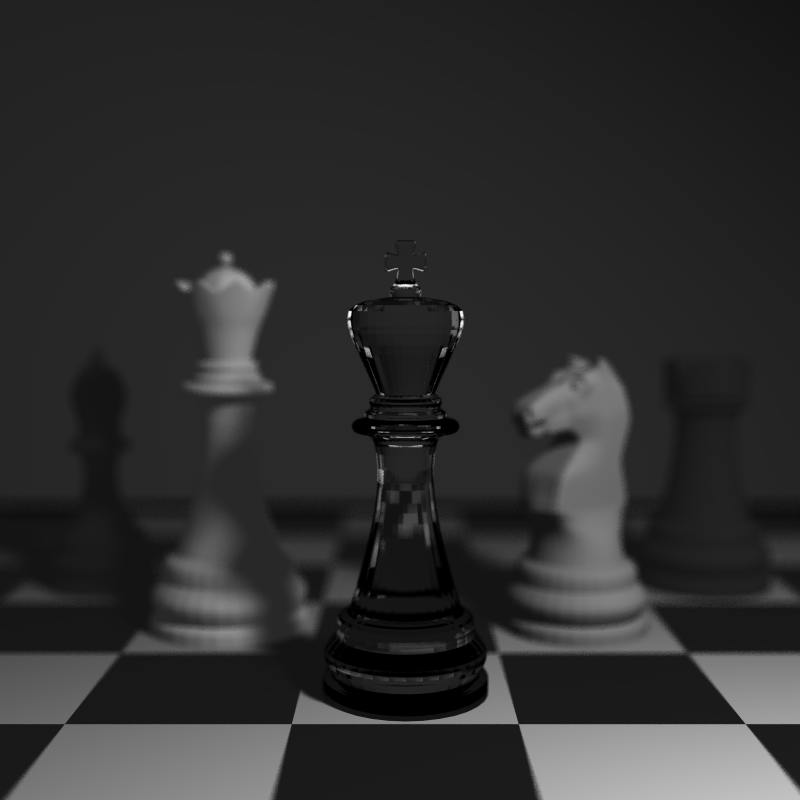
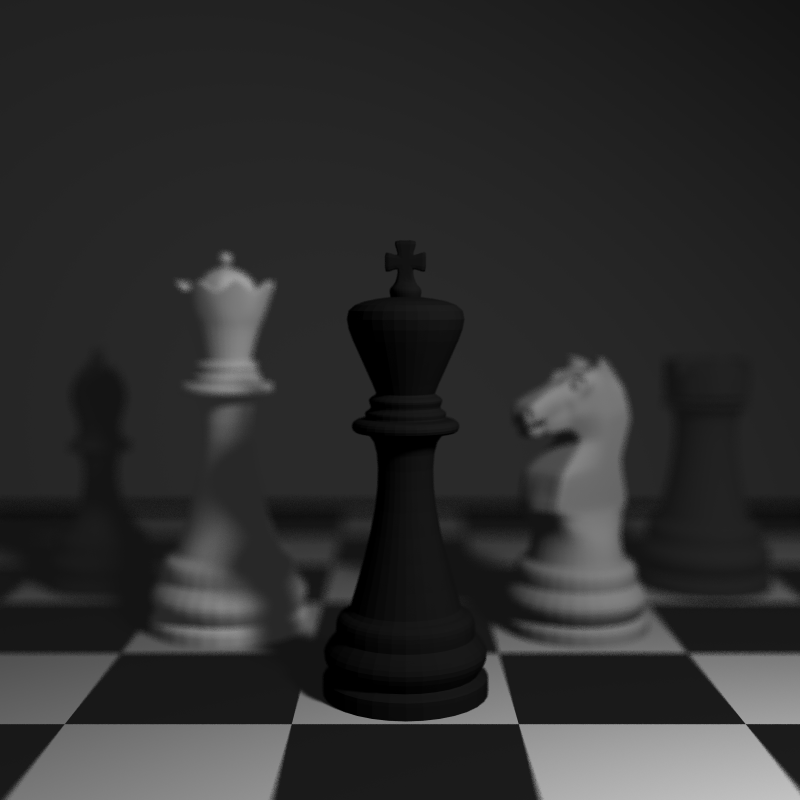
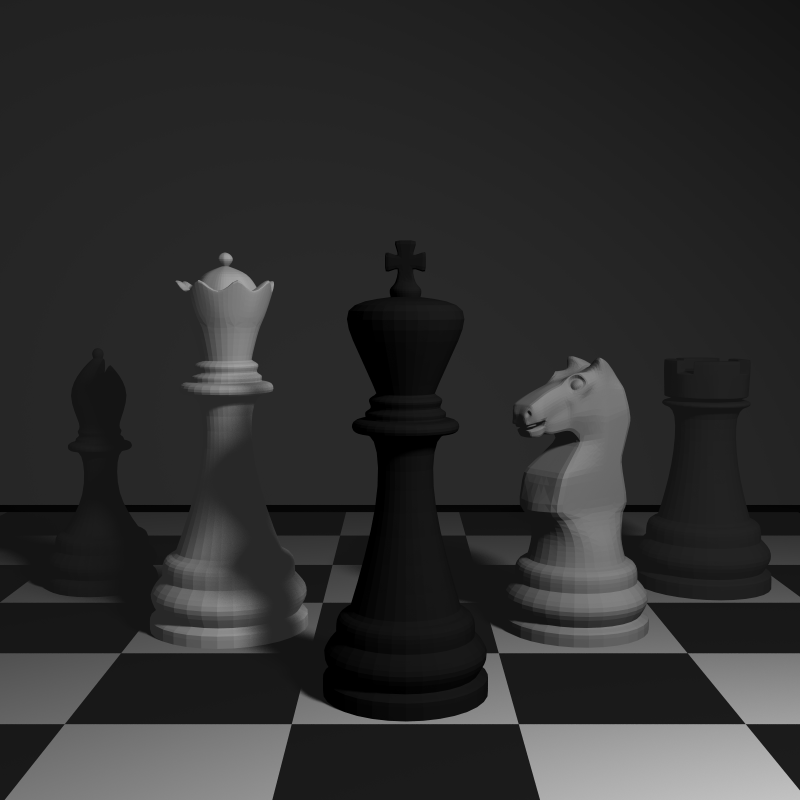
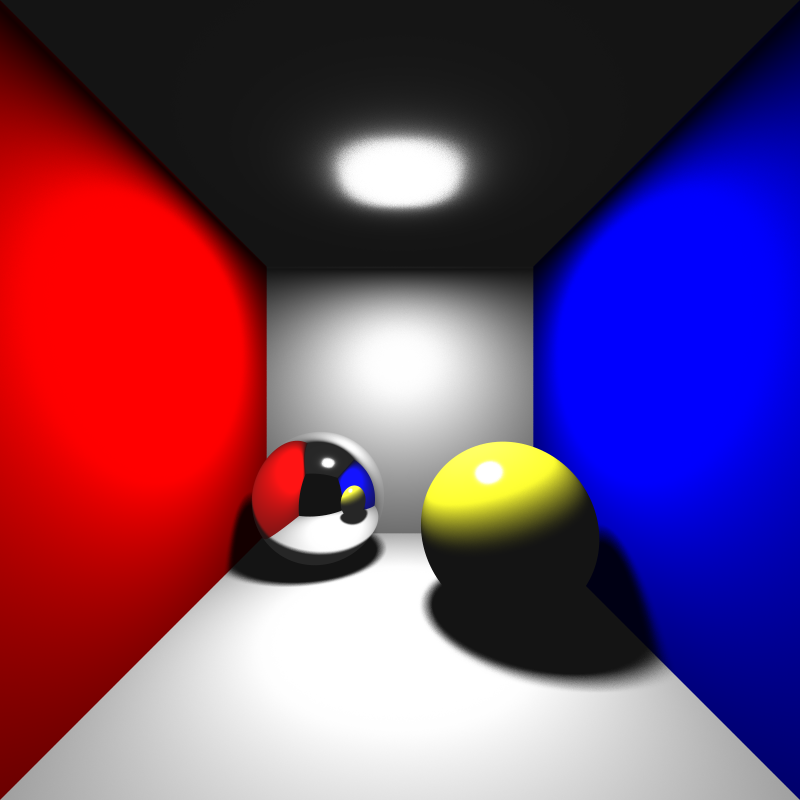
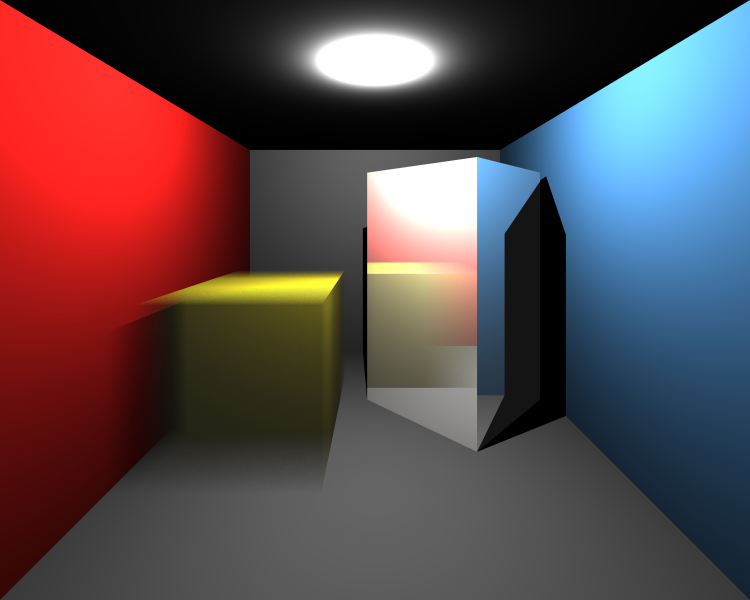
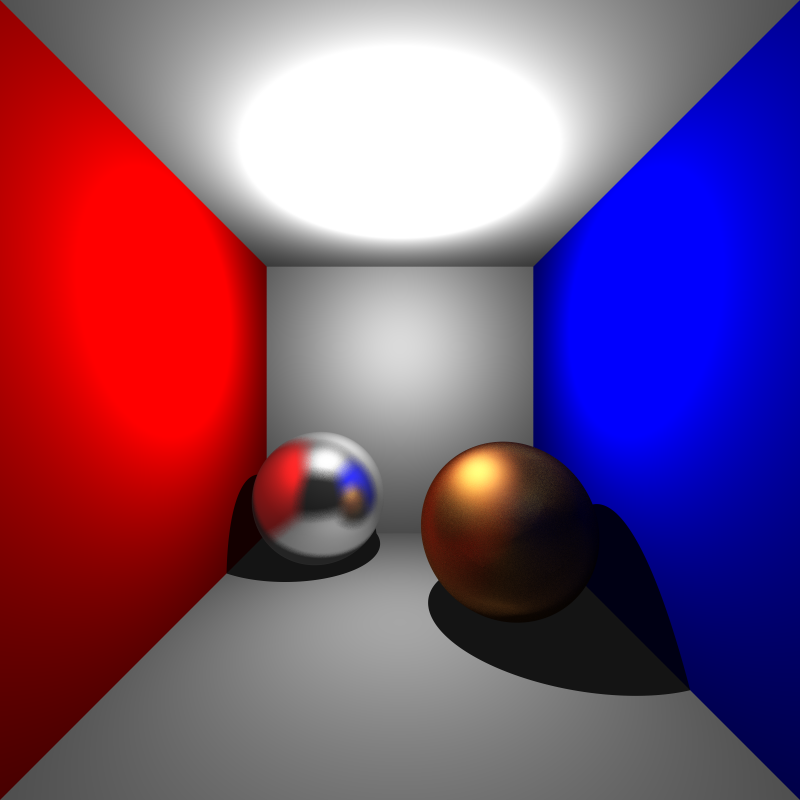
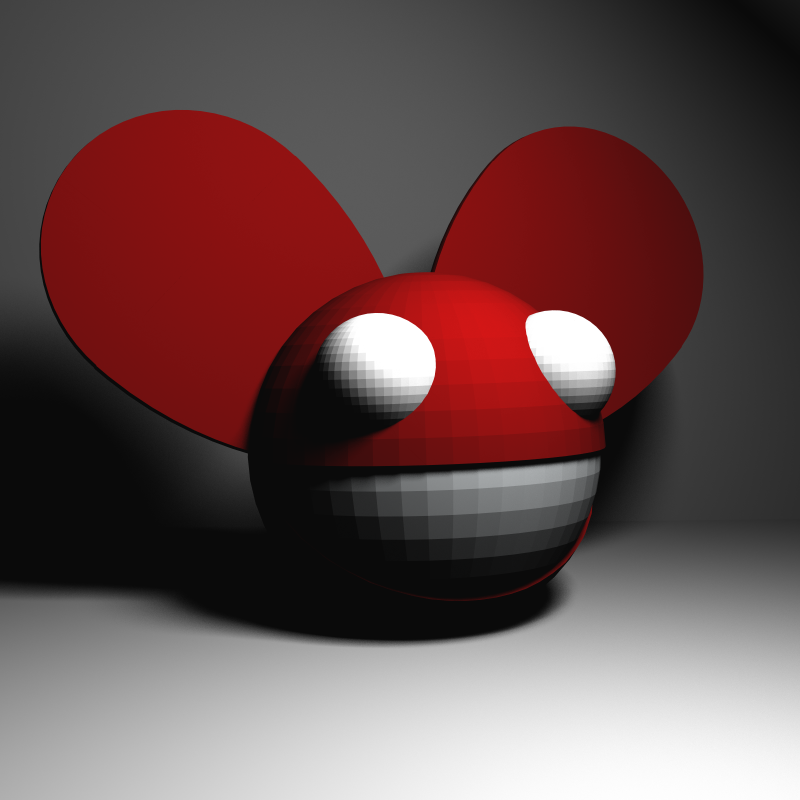

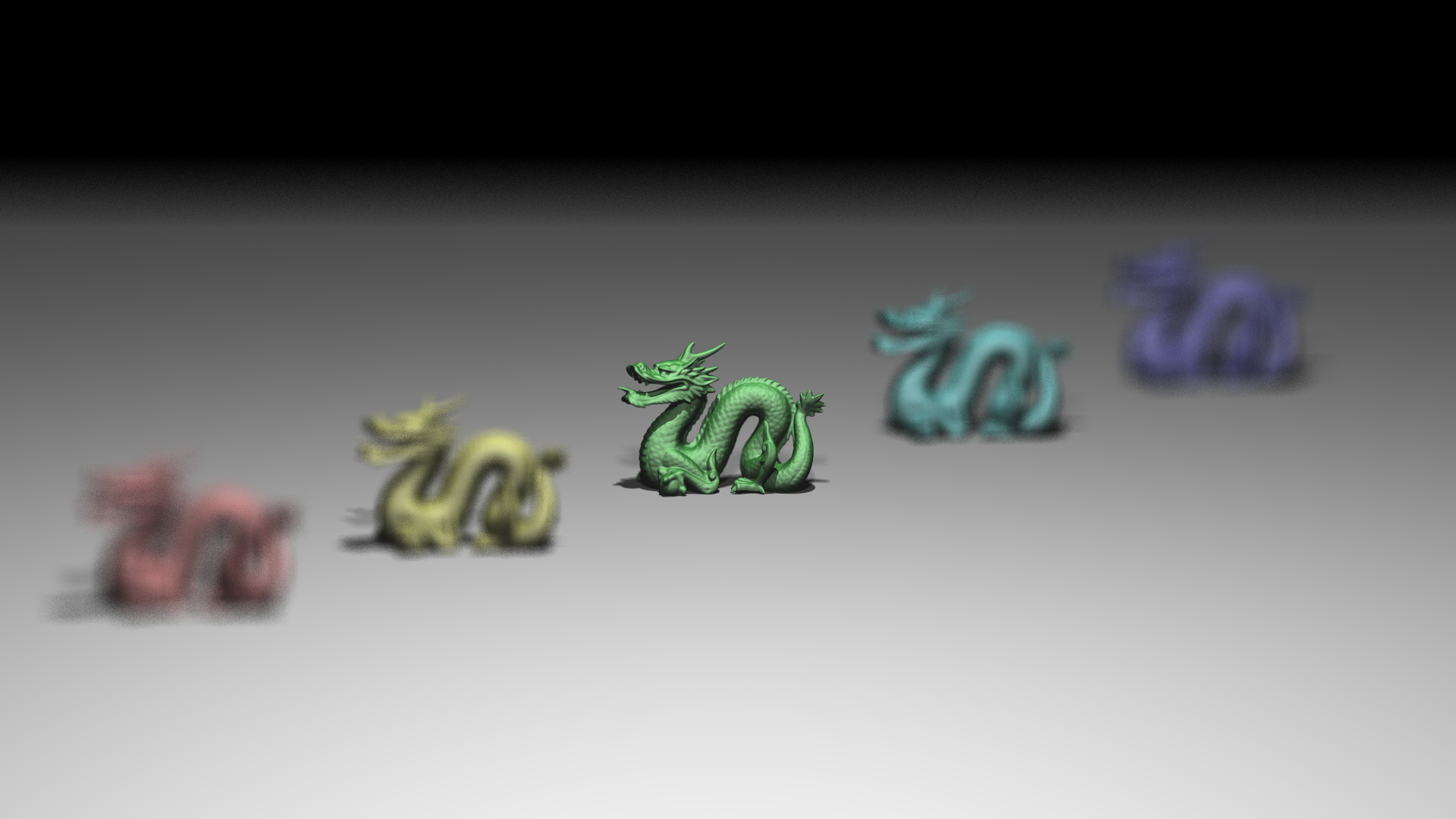
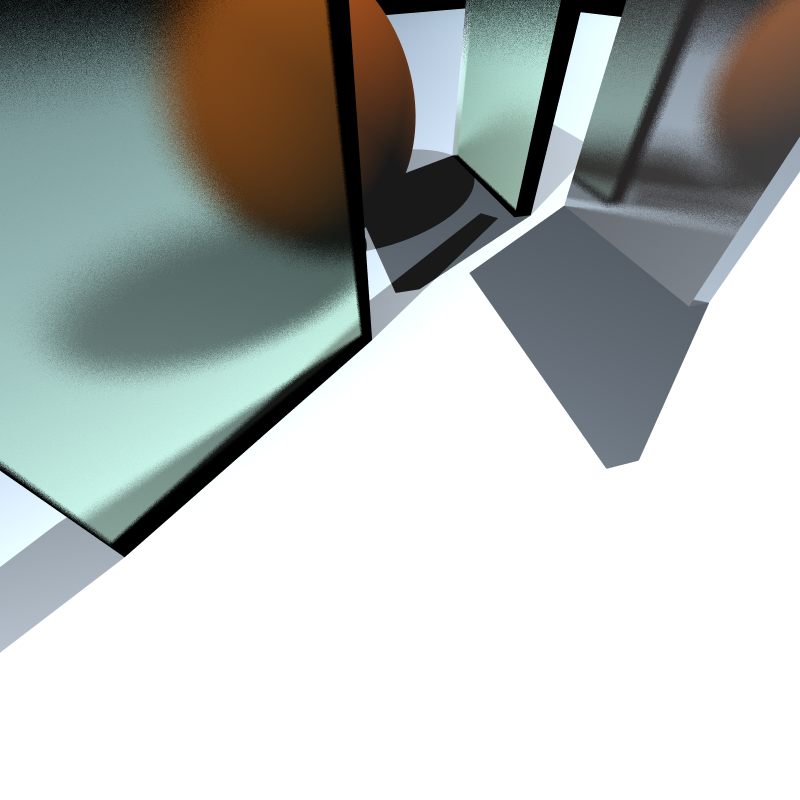
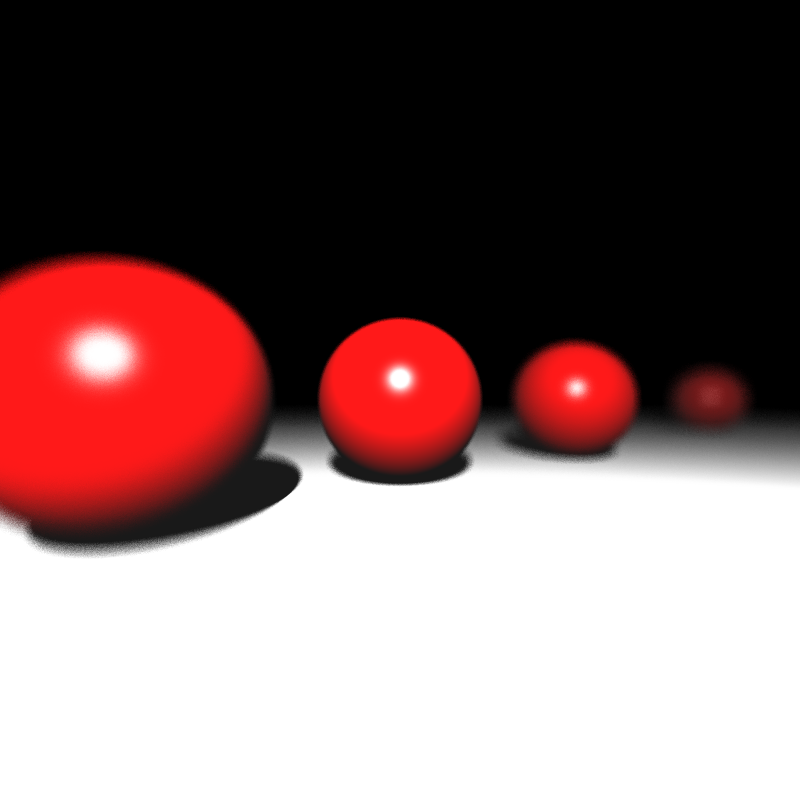
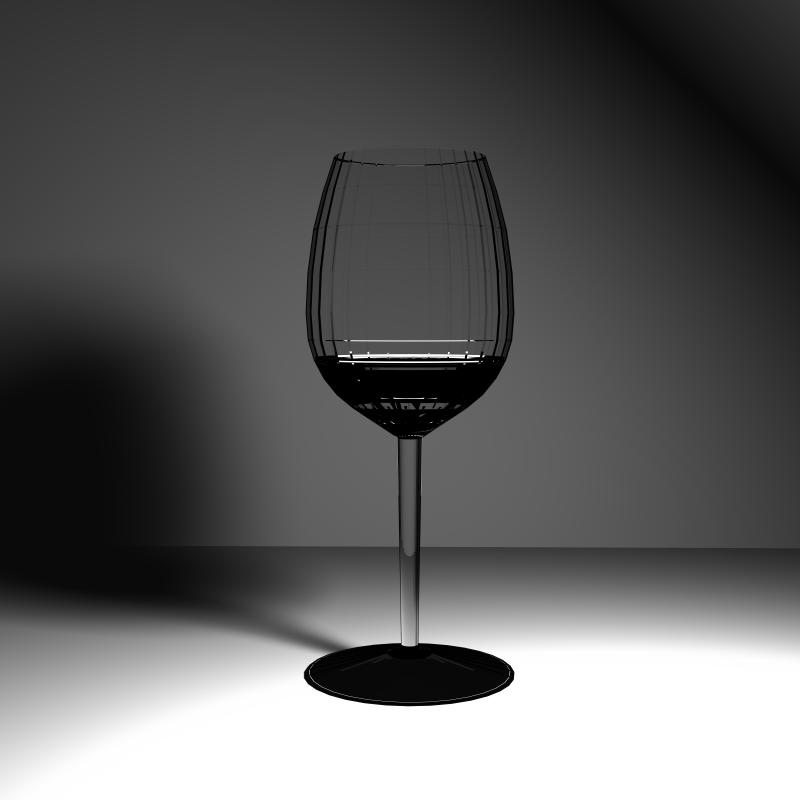
tap
Performance Results
The performance results shown below were measured on a PC with an i5-13420H processor and 16 GB of RAM. The program ran with 12 threads during the rendering phase, SIMD optimization was active, and a BVH acceleration structure was used. Since my program does not use the GPU, the GPU hardware is irrelevant. These results were obtained from a single run.
| Scene | Json parse and prepare time (ms) | Render time (ms) | Save image time (ms) |
|---|---|---|---|
| chessboard_arealight_dof_glass_queen.png | 67 | 104626 | 34 |
| chessboard_arealight_dof.png | 71 | 51997 | 37 |
| chessboard_arealight.png | 63 | 50319 | 33 |
| cornellbox_area.png | 11 | 28598 | 43 |
| cornellbox_boxes_dynamic.png | 11 | 40123 | 39 |
| cornellbox_brushed_metal.png | 2 | 16792 | 37 |
| deadmau5.png | 24 | 118570 | 59 |
| dragon_dynamic.png | 3469 | 1400504 | 27 |
| focusing_dragons.png | 4260 | 25306 | 167 |
| metal_glass_plates.png | 11 | 13739 | 62 |
| spheres_dof.png | 0 | 1495 | 27 |
| wine_glass.png | 7 | 1699592 | 29 |
Self-Critique
I have a critique about my motion blur implementation. Currently, inside the get_samples function, I calculate the ray time by simply calling get_random_float(). This creates a simple uniform distribution that is completely random for every single pixel. Because of this, the blur effect looks very noisy and grainy instead of smooth. In the future, I need to improve this by using a smarter sampling method instead of pure randomness to make the blur blend together better.